> For the complete documentation index, see [llms.txt](https://docs.engagevr.io/developer/llms.txt). Markdown versions of documentation pages are available by appending `.md` to page URLs; this page is available as [Markdown](https://docs.engagevr.io/developer/creating-locations/network-states/example-network-state-configurations/network-state-change-materials.md).
# Network state change materials
You can use a network state to synchronize changes to one or more objects' materials.
Component overview
In the `NetworkStateTrigger_ChangeMaterials` component, you can set both a list of materials and a list of Mesh Renderers. You can then call methods to apply a material from the list to all referenced Mesh Renderers.
{% hint style="info" %}
You can provide a material index to change a specific material in a Mesh Renderer.
{% endhint %}
Example lists of materials and Mesh Renderers in the Change Materials component
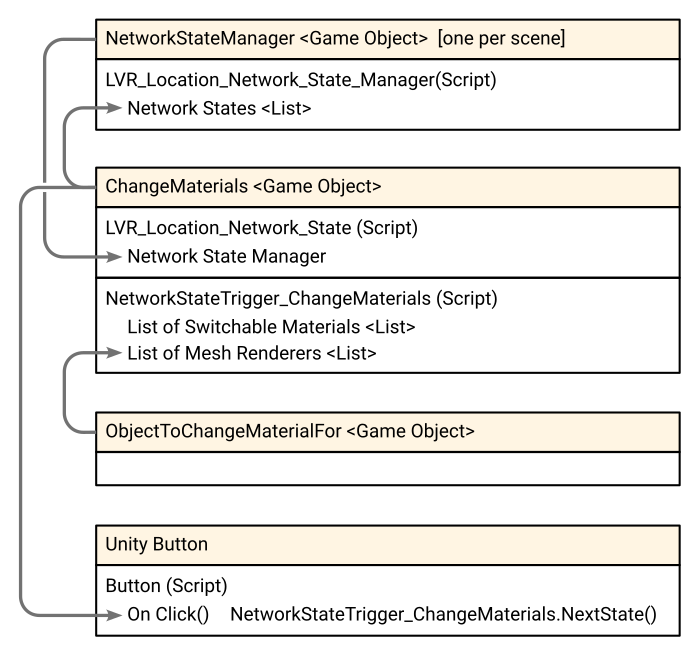
The following diagram shows an example of how to arrange the components in Unity, and the required references.
Example use of network states to synchronize cycling through a list of materials