> For the complete documentation index, see [llms.txt](https://docs.engagevr.io/developer/llms.txt). Markdown versions of documentation pages are available by appending `.md` to page URLs; this page is available as [Markdown](https://docs.engagevr.io/developer/afx/afx-graphs/flows.md).
# Flows
Flows control the execution of AFX graphs. The most important node in a flow is the initiating node that starts the flow. You then create a chain from the initiating node to any node that you want it to activate.
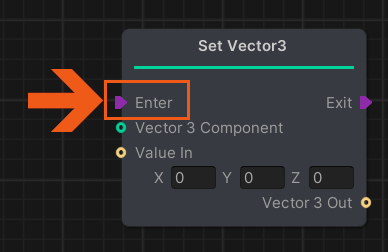
If a node has an `Enter` port, you must create a flow to control when the effect of the node is applied. If you don’t create a flow, the node has no effect.
Enter port on a Set Vector 3 node
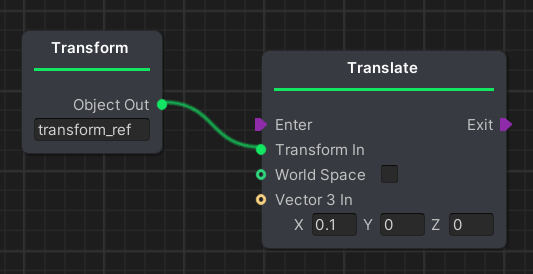
For example, in the following graph a *Translate* node is attached to a `Transform Reference` node. This has the potential to move an object along the x axis. However, because no flow has been created, the translation of <0.1, 0, 0> will never be applied.
An example AFX graph without a flow
For information about how to start a flow, see the following section.