# Give the wolf a head start

In the current configuration, it’s obvious at an early stage that the fox will win the race. We’ll make some adjustments so that it seems as though the wolf will win, and then the fox makes a comeback.

1. On the timeline, select the fox object.
2. Select the curves view (<img src="/files/4uO7xeKgGS1ss7Fg1g5g" alt="" data-size="line">).
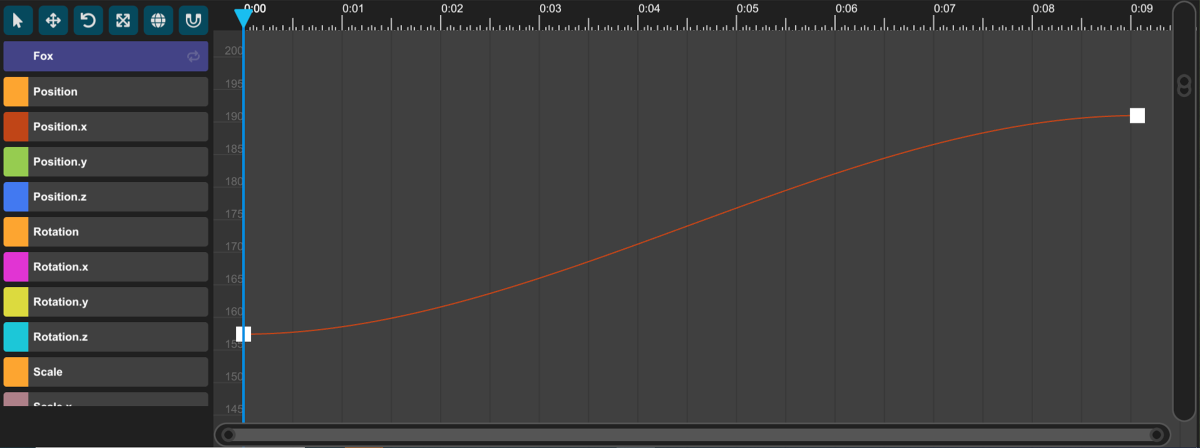
3. Identify the red line. This represents the changing value of the *Position.x* parameter.
4. Select one of the keys at either end of the red line.
5. Press the **f** key on your keyboard to focus on the curve.

<figure><img src="/files/cRgDP1voxt7E6sBIieGu" alt=""><figcaption><p>Focused view on the Position.x track (select to expand)</p></figcaption></figure>

To adjust the curve, complete the following steps:

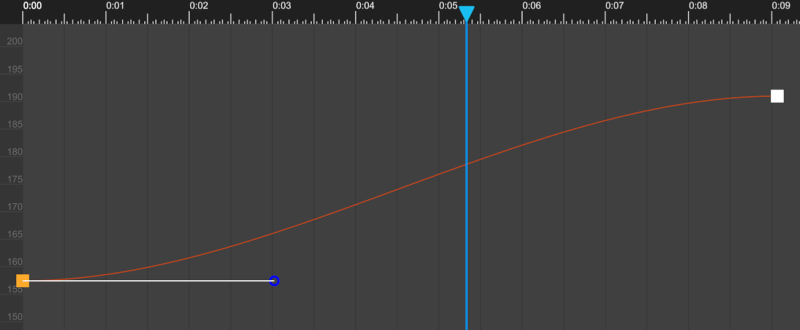
1. Select the square for the first key.
2. Drag the circular grip that appears towards the right.

<figure><img src="/files/pq5pGYa9jiBCWXsSImOB" alt=""><figcaption><p>Curve before adjustment</p></figcaption></figure>

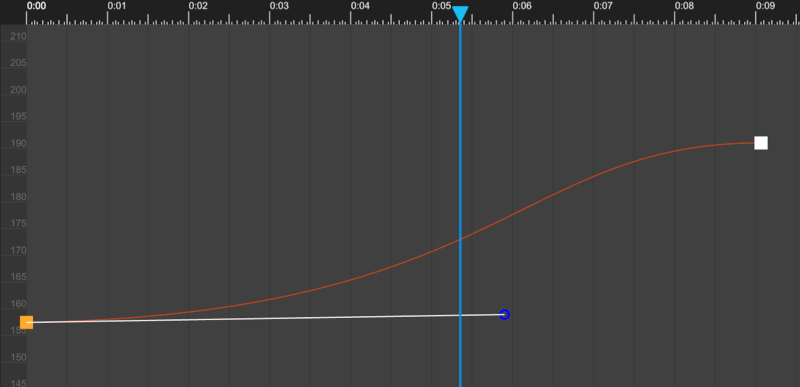
<figure><img src="/files/GUk4n2c6HhaDRRug5ieG" alt=""><figcaption><p>Curve after adjustment</p></figcaption></figure>

Test your animation to ensure that the wolf has a head start, but that the fox crosses the finish line first.

The steepness of the curve determines how quickly the parameter changes. After you make the curve flatter at the start and steeper in the middle, the fox moves more slowly at the start and then faster in the middle.


---

# Agent Instructions: Querying This Documentation

If you need additional information that is not directly available in this page, you can query the documentation dynamically by asking a question.

Perform an HTTP GET request on the current page URL with the `ask` query parameter:

```
GET https://docs.engagevr.io/engage/experience-editor/tutorials/introductory-animal-race/give-the-wolf-a-head-start.md?ask=<question>
```

The question should be specific, self-contained, and written in natural language.
The response will contain a direct answer to the question and relevant excerpts and sources from the documentation.

Use this mechanism when the answer is not explicitly present in the current page, you need clarification or additional context, or you want to retrieve related documentation sections.